Traysr: see what AI is running on your machine
AI coding assistants and agents can run processes, open network connections and reach your files. Traysr runs a full assessment of your local machine, finds the AI tools and MCP servers on it, rates each one for risk, and gives you a trust score out of 100 with a report you can save or export.
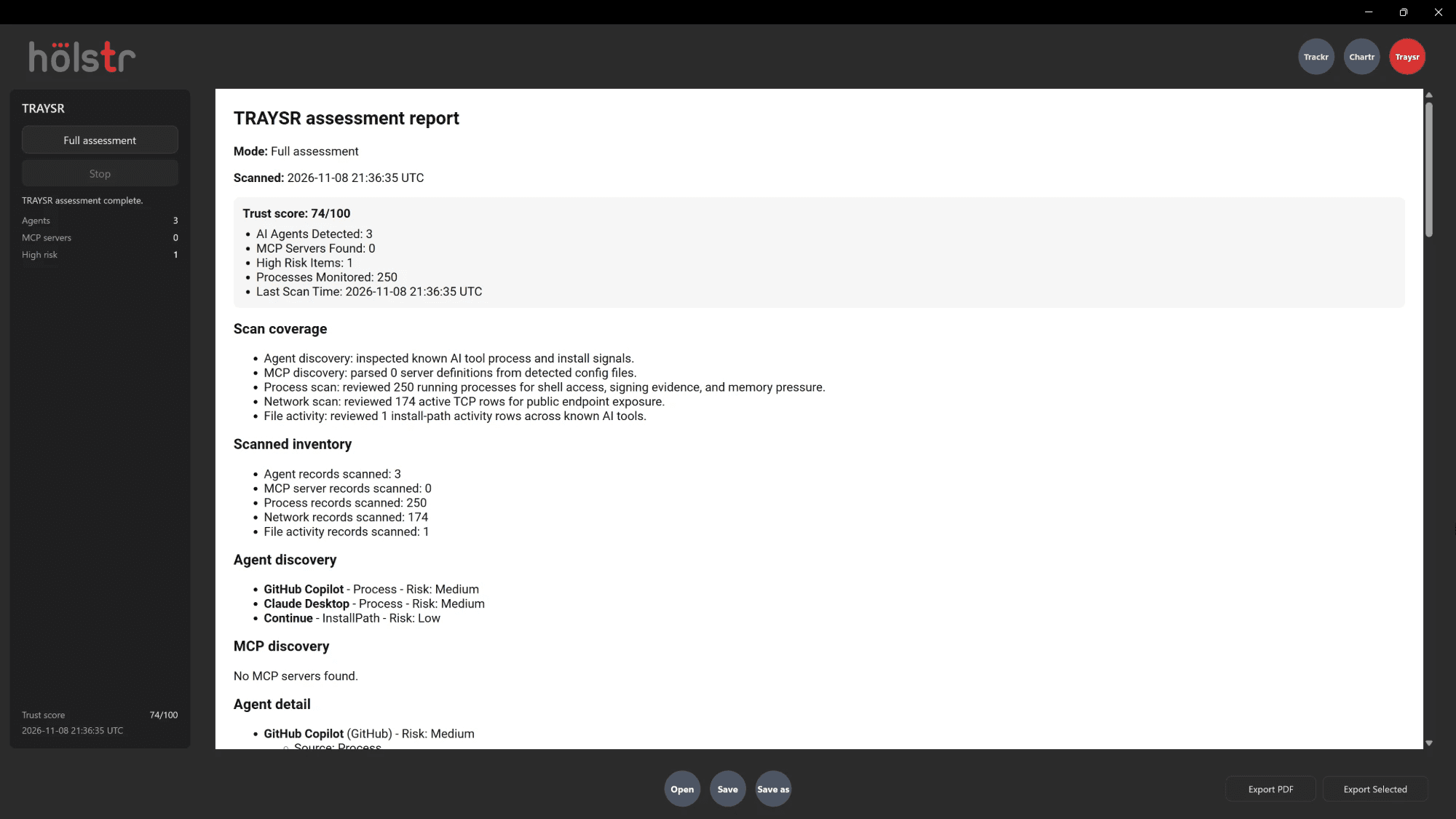
What Traysr does
- Trust score
- A score out of 100, with the number of AI agents, MCP servers and high-risk items found.
- Agent discovery
- Known AI tools found from their running processes and install signals, each rated low, medium or high risk.
- MCP discovery
- Model Context Protocol server definitions read from the config files Traysr detects.
- Process scan
- Running processes checked for shell access, signing evidence and memory pressure.
- Network scan
- Active TCP connections reviewed for exposure to public endpoints.
- File activity
- Activity in the install paths of known AI tools.
Why it matters
- AI tools often run with the same access as you, including your shell, your files and your network.
- Knowing which agents and MCP servers are on a machine is the first step to deciding which ones you trust.
- Testers often work on client systems and test data, so it matters what else on the machine can see it.
Good to know
- Traysr finds known AI tools and the signals they leave. It is not antivirus and will not catch every piece of software.
- An assessment is a snapshot of the moment it ran. Run it again after you install or update AI tools.
Questions
What is an MCP server?
The Model Context Protocol lets AI assistants connect to tools and data sources. Each MCP server you configure gives an assistant new abilities, such as reading files or calling services, so it is worth knowing which ones are set up.
Does a high-risk item mean something is wrong?
Not necessarily. It means the tool has access worth reviewing, such as shell access or exposure to the network. You decide whether it should be there.
Does Traysr scan anything other than my own computer?
No. Traysr assesses the machine it runs on.
Also in Holstr
Bring your next test session into one place
Get Holstr, or book a demo and see the whole workspace in action.